
Can I Use a Wired Push Button with a Wireless Chime Receiver?
Currently, there are not any wired push buttons that have built-in wireless functionality, but with that said, there are a couple of workarounds that will allow you to use a wired doorbell push button with a wireless door chime receiver. There are two methods we will outline below; the first is assuming you have a…
On This Page
Currently, there are not any wired push buttons that have built-in wireless functionality, but with that said, there are a couple of workarounds that will allow you to use a wired doorbell push button with a wireless door chime receiver.
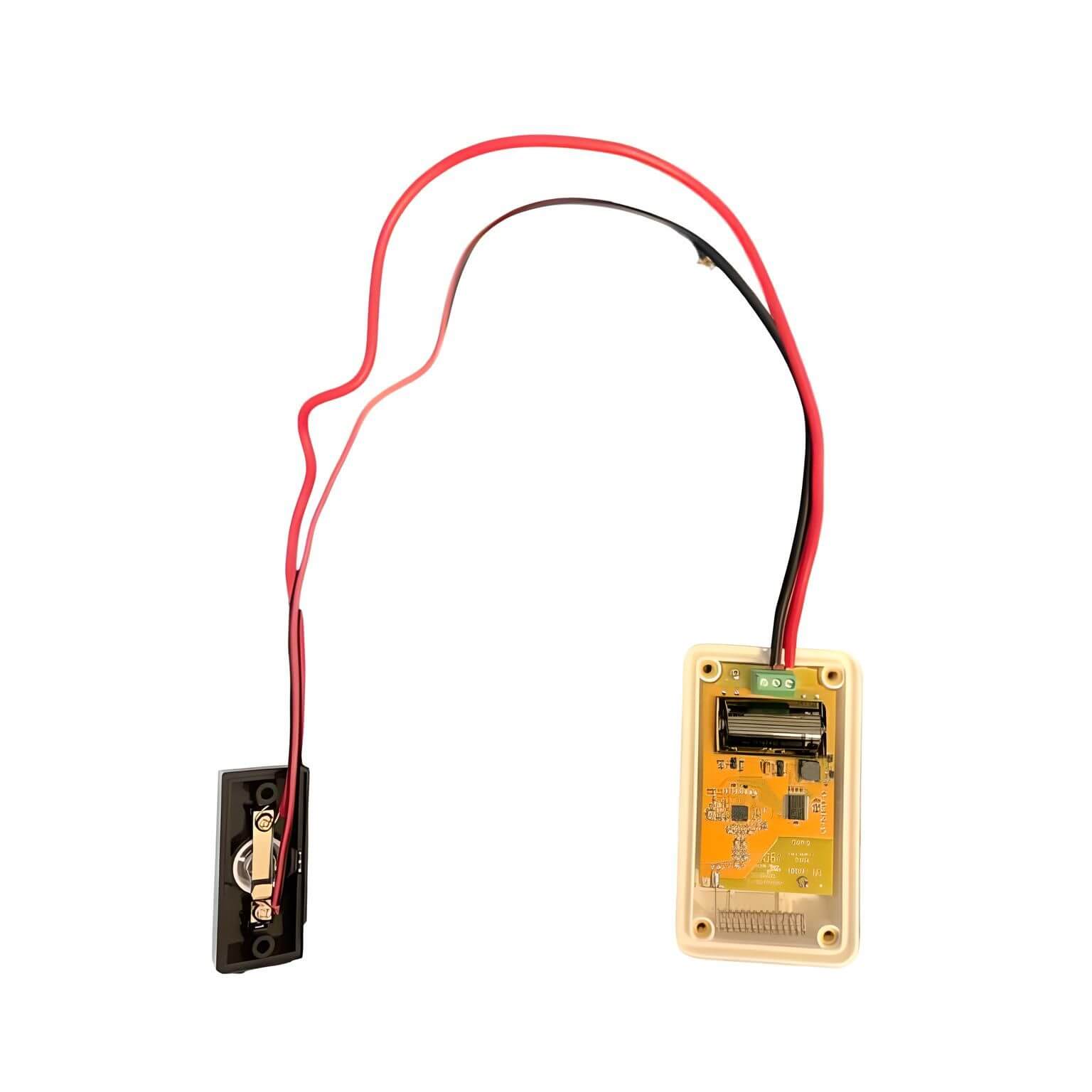
There are two methods we will outline below; the first is assuming you have a WORKING wired door chime in your home or office, and the second assumes you do not. In the first method, we will explore products called “Door Chime Extenders.”
Using a Door Chime Extender in Your Home:
“Door chime extenders” are products that add to your existing wired doorbell in your home and transmit a wireless signal to a wireless door chime receiver. For a list of products on 1800doorbell.com that meet this criterion plus consult the wireless door chime extenders category page.
Door chime extenders work by wiring a small wireless transmitter into the EXISTING WIRED DOORBELL in your home. This small, wireless transmitter wires into the actual doorbell (not the push button) that is usually hanging in the foyer or hallway of your home. When a visitor pushes the wired doorbell push button outside your home, your wired doorbell will play the standard “ding dong” sound as normal. However, when this occurs, the wireless extender is triggered and it then transmits a radio signal to the compatible wireless door chime receiver, causing it to play the selected melody or tone. The benefit of this is that you can now add these door chime receivers throughout your home and when triggered, enable you to hear when a visitor arrives.
For example, using a product like the Safeguard Supply LRA-EX1000S, you can plug in multiple receivers throughout your home. These plugin receivers can play a melody, flash a strobe, or both. Adding one to your garage assures you won’t miss a visitor again. With a wireless range of up to 1,000 ft. from the wireless transmitter (you wired it into your wired doorbell) to the plug-in receiver, you can ensure it will provide coverage throughout your home. Use the ERA-UTX Universal Transmitter: Wire the Transmitter to Your a Wired Doorbell Push Button
In this scenario, we will use the ERA product line, specifically the ERA-UTDCR Warehouse Doorbell Kit along with a wired doorbell push button. Please note, in this scenario, you can ONLY use a non-lighted wired doorbell button, which will explain why later. In this scenario, YOU DO NOT have to have a working wired doorbell in your home or office.
The ERA-UTX is a commercial-grade, long-range wireless transmitter with a range from the transmitter to a compatible receiver of up to 4,000 ft. The ERA-UTX has usually used a wireless push button or magnetic door contact, but it also features a relay, which we will use here to connect to a push button. The wired doorbell push button wires into the relay on the ERA-UTX. When a visitor pushes the wired push button, the ERA-UTX is then triggered, and will then transmit, causing the compatible receiver to chime.
For instructions on how to wire this, please consult the FAQ article, How to Wire a Push Button to the ERA-UTX Universal Transmitter.
More in ERA Product FAQ
Browse the full FAQ category or continue with related answers from the same FAQ category.