
What the Red Light on the LRA-DCRXS Indicates
In the picture above, you will notice a red LED light just under the strobe-light lens on the LRA-DCRXS plugin receiver with the strobe light. During regular operation of the LRA-DCRXS, you may see the red LED illuminate under the strobe lens. This indicates the battery in a transmitter programmed to the receiver is low….
In the picture above, you will notice a red LED light just under the strobe-light lens on the LRA-DCRXS plugin receiver with the strobe light.
During regular operation of the LRA-DCRXS, you may see the red LED illuminate under the strobe lens. This indicates the battery in a transmitter programmed to the receiver is low.
When the RED LED Stays on During Normal Operation
When not programming a sensor/transmitter to the LRA-DCRXS, a red LED that stays on indicates a transmitter/sensor programmed to the receiver has a low battery and it needs to be replaced. For example, the battery in the push button is a 3V lithium battery, model number CR2032.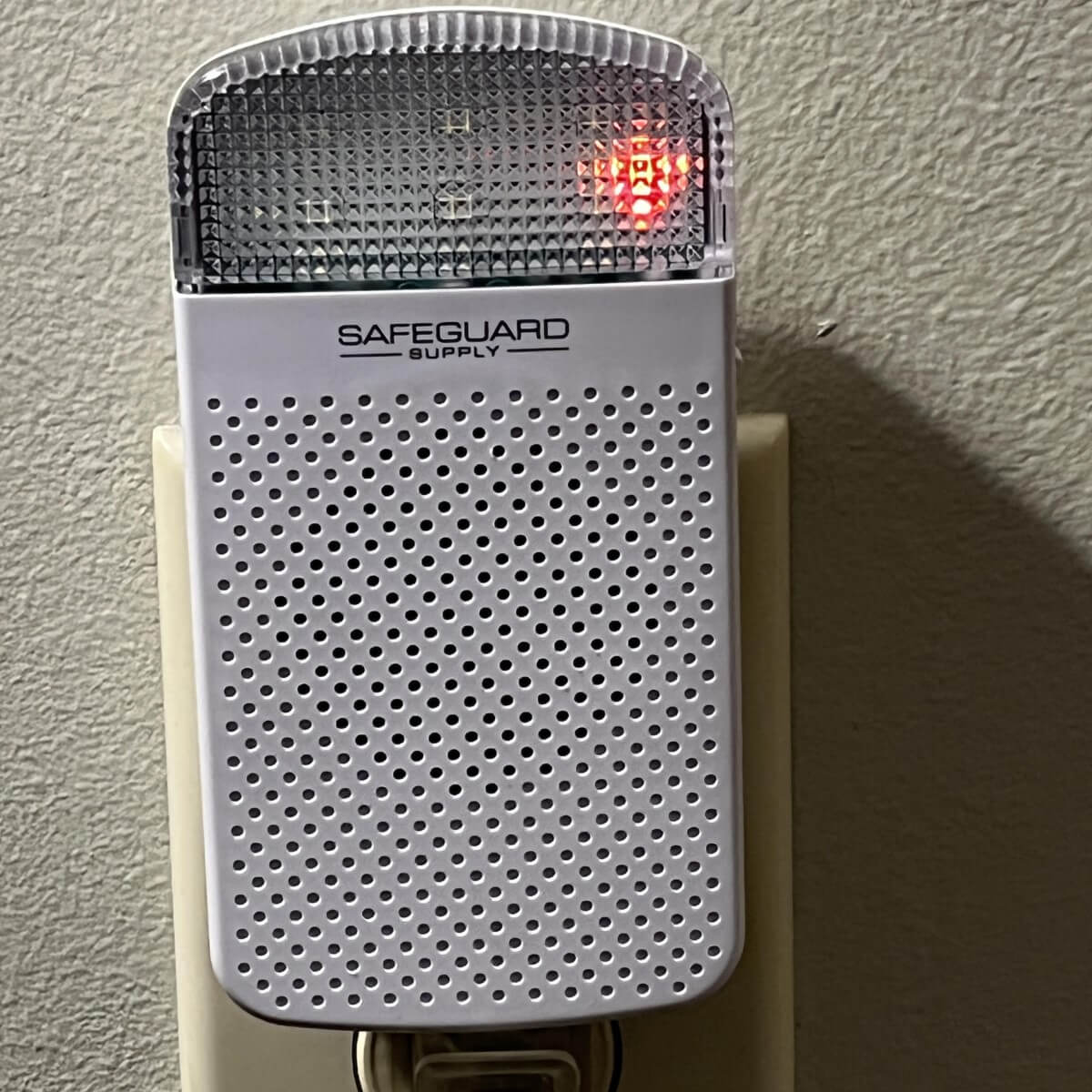
For more information on how to change the battery in the LRA-PBTX, click here.
The RED LED in Programming Mode
When programming the LRA-DCRXS receiver to an LRA-compatible transmitter/sensor, the RED LED has two indications: 1) the zone you are programming and 2) if the two available zones are occupied. When the LRA-DCRXS is in programming mode, the RED LED will display.
For programming the LRA-DCRXS to a transmitter, please consult this helpful article here.
A Blinking RED LED
The LRA-DCRXS has two available zones, meaning one transmitter/sensor may be programmed to each zone. A fast-blinking LED indicates programming for zone 1, and a slow-blinking LED indicates zone 2.
For example, when the receiver is in programming mode and zone 1 is empty, the red LED will blink quickly. The red LED will blink slowly if zone 1 is occupied and zone 2 is empty. That means zone one already has a transmitter/sensor programmed to it, and zone two is empty.
A Solid RED LED (when in programming mode)
After entering programming mode, the red led is solid, this means both zones 1 and 2 are currently occupied with an LRA-compatible transmitter/sensor. The memory must be cleared or erased to program a transmitter/sensor to the receiver.
To learn how to delete the zones memory in the LRA-DCRXS, click here.
More in Wireless Doorbell FAQ
Browse the full FAQ category or continue with related answers from the same FAQ category.