
How to Install a Wired Doorbell
A grounded wired doorbell installation guide covering the key parts, the order of operations, and the checks to make before you replace hardware.

DIY doorbell repairs
Use this guide to narrow the problem before you replace parts. Most wired and wireless doorbell issues come back to the push button, transformer, chime, receiver, or a basic compatibility mismatch.
On This Page
Related Categories And Products
Start with the parts that matter
A standard wired doorbell system is built from four basic pieces: a push button, a transformer, low-voltage wire, and a chime or bell inside the building. If any one of those pieces is missing, miswired, or undersized, the system will not work correctly. This is our full step-by-step guide to installing a wired doorbell, from checking the transformer to testing the finished circuit.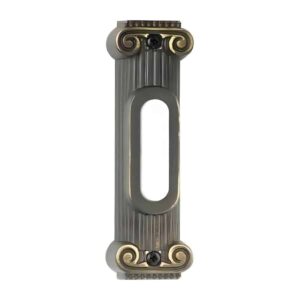 doorbell button" width="300" height="300" loading="lazy" />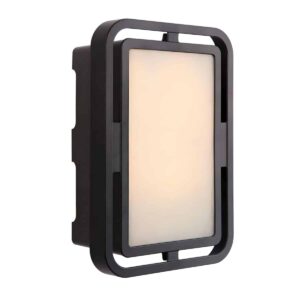
Before you install anything
- Shut off power at the breaker before opening an electrical box
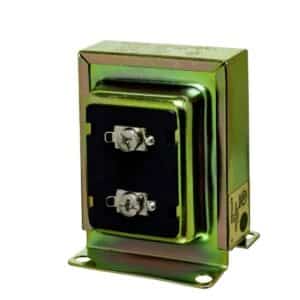
- Confirm the transformer voltage and VA rating match the chime or video doorbell requirements
- Check whether you are replacing an existing button and chime or starting from scratch
- Inspect the existing low-voltage wire for breaks, corrosion, or loose connections
Basic wired doorbell installation order
1. Mount the push button
Install the wired doorbell button at a comfortable height near the main entry. If you are replacing an older button, check the footprint first so the new plate covers the old opening cleanly.
2. Confirm transformer size
Most basic wired chimes work with a standard transformer, but larger chimes or video doorbells may need more VA. Compare the doorbell transformer options before reusing an old transformer that may be undersized.
3. Connect the chime
Follow the terminal labeling on the chime body. A simple front-door setup is straightforward, but two-button systems and mixed video doorbell installations often require more careful wiring.
4. Restore power and test
After wiring is secure, restore power and test the button. If the chime hums, rings continuously, or does nothing, stop and re-check the transformer, button, and terminal connections.
Common trouble spots
- No sound: bad transformer, broken wire, or failed push button
- Weak chime: undersized transformer or long wire run
- Constant hum: stuck button or incorrect terminal wiring
- New smart button problems: existing transformer does not provide enough VA
Products that help with repairs
If you are replacing visible hardware, start with the wired doorbell button category. For power issues, review the 16V transformer and the broader transformer category. If the entire chime is dated or damaged, compare replacement options in the wired doorbell category.
Related guides
Replacing only the button? See how to install a doorbell button. Prefer to watch the circuit being wired? See our wired doorbell wiring video. Still deciding between wired and wireless? Start with how to install a doorbell.