
Programming the SS130 Door Alert Kit by Safeguard Supply
Overview The SS series is expandable, allowing you to pair various transmitters to the receiver and add additional receivers. These include: Kit Includes: One doorbell receiver can be paired with up to 58 transmitters (SS111 push button, SS132 Door Contact), each assigned a different ringtone. What you should know before using Quick Start Receiver LED…
On This Page
- Overview
- Kit Includes:
- What you should know before using
- Quick Start
- Receiver LED indicator
- Pairing a transmitter to the receiver
- Reset
- Please note:
- Receiver & door sensor installation
- For AC Receiver (plug-in):
- Transmitter (Door Sensor) Installation:
- How to set the contact sensor
- LED indicator
- Low battery alert
- Troubleshooting
Overview
The SS series is expandable, allowing you to pair various transmitters to the receiver and add additional receivers. These include:
- Doorbells
- Contact sensors
Kit Includes:
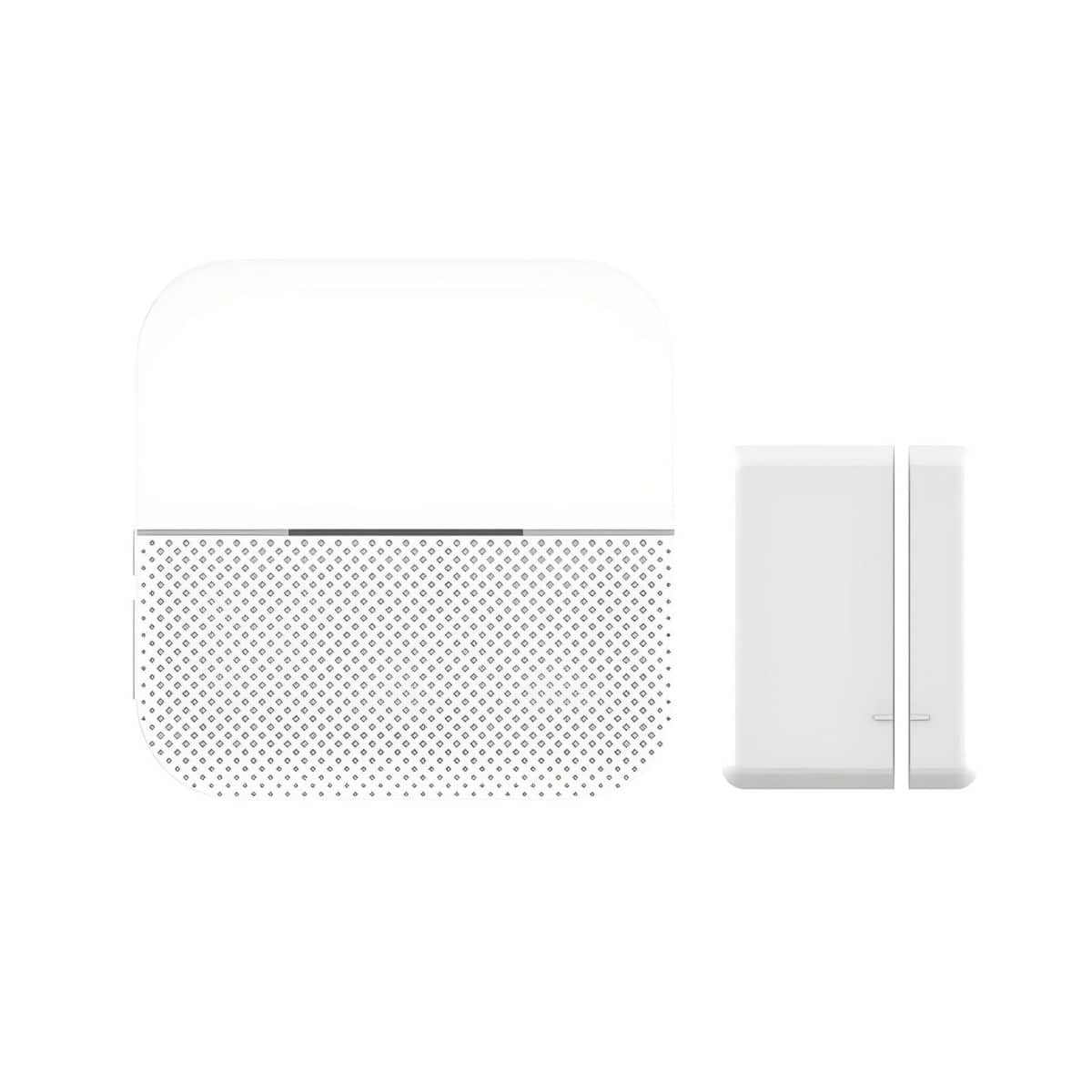
- SS132 Magnetic Door Contact
- SS135 Plugin Doorbell Receiver
- Battery for SS132
- Double Sided Tape
- User Manual
One doorbell receiver can be paired with up to 58 transmitters (SS111 push button, SS132 Door Contact), each assigned a different ringtone.
What you should know before using
- The transmitter(s) is(are) paired with the receiver(s) and set to the default “ding-dong” melody at the factory. If they are not paired, please refer to the “Quick Start” to pair the transmitter(s) with the receiver(s) and set your favorite ringtone.
- Mounting the transmitter onto metal surfaces is not advisable as this can block RF signals between the transmitter and the receiver. The included double-sided tape will help.
- The operating range will decrease if the battery power in the transmitter is low.
- It is advisable to mount the transmitter under some shelter to reduce the aging of the plastic materials.
Quick Start
Receiver LED indicator
Different ringtones can be assigned to different transmitters; for example, doorbells, motion sensors, etc., can all have different ringtones.
- Sound volume control: press the volume control button on the receiver. This switch toggles between High and Low volume.
- Set Ringtone:
- Press the Forward Button or Back Button to choose your favorite ringtone.
Pairing a transmitter to the receiver
- Please select your favorite ringtone before pairing.
- Press the volume control button for 5 seconds until a Ding-dong is heard and the LED indicator starts flashing. The receiver is now in pairing mode.
- Activate the transmitter to send a signal to the receiver.
Two or more transmitter pairings:
The pairing mode is required for each transmitter. For two or more transmitters, please follow the pairing steps (1)-(3) for each transmitter.
Reset
Press the forward button for 5 seconds to reset the receivers to their default settings. The reset is successful when the receiver sounds ‘Ding Dong’ with the LED flashing. After a reset, receivers revert to the first ringtone, and transmitters must be paired again.
Please note:
- Pairing mode lasts for 5 seconds only before timing out. Ensure you activate the transmitter during this time, or the process must be started again.
- The pairing mode will quit automatically after pairing is completed.
Receiver & door sensor installation
Before installation, please test the doorbell range
For AC Receiver (plug-in):
Just plug the receiver into the standard outlet in the room.
Transmitter (Door Sensor) Installation:
The SS130 Kit includes the SS132 Magnetic Door Sensor, which is also available as a stand-alone product.
Double-sided adhesive tape (Preferred install method)
- After ensuring the correct mounting position, please clean the flat area where you intend to install the transmitter.
- Tear off one side of double-sided adhesive tape and stick it to the underside of the transmitter; tear off the other side and put the transmitter onto the wall, then press and hold for 10 seconds.
How to set the contact sensor
The contact sensor can be installed on doors, windows, and other objects that can be opened and closed. It transmits signals to the receiver when a magnet mounted near it is moved away.
A door sensor can provide a door entry chime/alert system or a window/mailbox alert system.
A Blue LED indicator will flash once when it is triggered
LED indicator
The gap between the transmitter and magnet should be less than 1cm
Low battery alert
In low power status, the indicator will flash two times after the normal one.
Battery replacement
- Open the transmitting part of the door sensor using the cover removal slot.
- Find the battery case and take out the battery.
- Replace the battery (3v). Please note that the surface with “+” and “CR 1632” should be facing up.
Troubleshooting
- The receiver doesn’t sound
- Check the transmitter battery
- The receiver could be out of range from the transmitter
- The receiver may not have been paired with the transmitter
- Operating range reduced
- Metal structures, including uPVC door frames, can reduce the product’s range.
- Avoid mounting the push or chime on or near metal structures.
- Other equipment can cause radio interference that affects your doorbell.
- Many walls and ceilings between the transmitter and receiver will reduce the range.
- Weak batteries will reduce range. Replace every 12-18 months.
More in Wireless Doorbell FAQ
Browse the full FAQ category or continue with related answers from the same FAQ category.