Find a New Wireless Push Button for a Carlon or Dimango Button
Get a plain-language answer to find a new wireless push button for a carlon or dimango button, with setup notes, compatibility details, and links to.
Short answer: This page explains find a new wireless push button for a carlon or dimango button in practical terms, with links to the products, setup guides, and troubleshooting steps that usually matter next.
You should see a small white sticker on the back of the Carlon/Dimango product. On this sticker, you will see QC with a four-digit code right under it.
There will be two sets of numbers. (xx-xx) The second set of numbers must be 00, 01, 02, 03, etc., or higher. If they are in the ’90s (99, 98, 97, etc), they are NOT compatible. Unfortunately, the receiver and button would both need to be replaced.
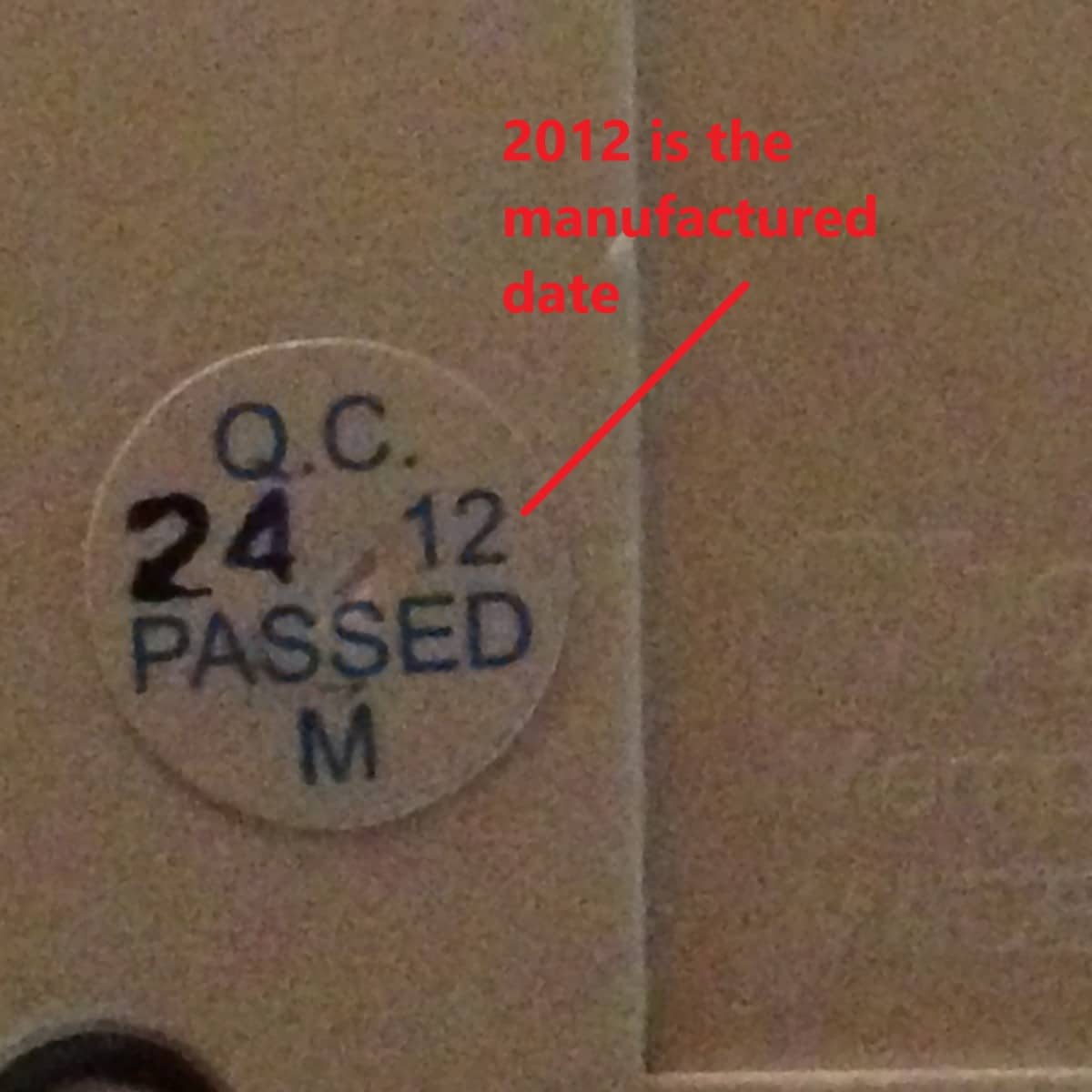
Products manufactured by Carlon AFTER THE YEAR 2000 use a technology named Surface Wave Acoustic or SAW which increased connectivity and increased battery life. Although this improved the products it made products featuring this technology incompatible with those that did not. Locate the small sticker on the back of the receiver with the QC information.
More in Installation & Setup FAQ
Browse the full FAQ category or continue with related answers from the same FAQ category.