
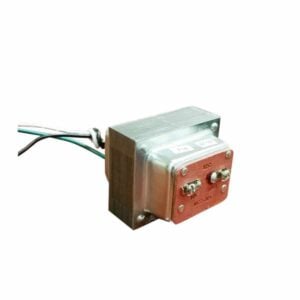
T1630 User Manual
Setup, pairing, and troubleshooting for the T1630 Craftmade 16V 30VA Doorbell Transformer.
INSTRUCTION GUIDE Transformer DH905/DH910/DH915 Congratulations on a wise purchase!
ENCLOSED YOU WILL FIND
- Transformer
TOOLS NEEDED
- Small Phillips head screwdriver
NEW INSTALLATION
- Always turn off house power before beginning installation.
- If you purchased a DH910, there are three different voltage options available of 8v, 16v, and 24v. Select the proper voltage for your particular application. Do not cross wire the connections. Refer to the connection arrows on the front of the transformer to obtain the desired voltage output.
- Mount the transformer to a junction box. Attic location is not recommended.
- Remove the cover plate from the junction box and then remove a knockout from the box.
- Insert the transformer wires through the hole in the box and then secure the transformer to the outside of the junction box via the locknut on the threaded shaft, see Figure 1.
- Connect one black transformer wire to the white lead of the 120v line.
- Connect the other black transformer wire to the black lead of the 120v line.
- Attach the green transformer wire to the ground wire from the 120v line. Note: If installed in a metal box, the green transformer wire and 120v line must be grounded to the box. Refer to local or National Electrical Code requirements for proper installation. (FIGURE 1) (FIGURE 2)
- Insulate each connection using UL approved wire nuts and/or UL electrical tape (it is recommended that both be used).
- Check all connections and replace the cover plate to protect the wiring inside.
- Extend standard bell wire from the low voltage transformer contacts to the desired chime and pushbuttons. See Figure 2 for assistance. Be sure to label all wires front, rear, and transformer.
- Connect labeled wires to correct terminal screws. See Figure 2 for assistance. If you are unfamiliar with installing this product, please consult an electrical professional.
LIMITED WARRANTY
The product you have purchased is guaranteed against defects in workmanship and materials for the period stated on the package. If the product fails due to a manufacturing defect during normal use, return the product to the store where purchased for replacement OR send product to:
- Lamson & Sessions
- 25701 Science Park Drive
- Cleveland, OH 44122 USA
- Attn: LHP Customer Service
Not Covered - Batteries, light bulbs, and other expendable items, repair service, adjustment and calibration due to misuse, abuse or negligence are not covered by this warranty. Unauthorized service or modification of the product or of any furnished components will void this warranty in its entirety. This warranty does not include reimbursement for inconvenience, installation, set-up time, loss of use, postage, unauthorized service, or other products used in conjunction with, but are not supplied by, Lamson & Sessions.
All requests for replacement must include a **dated sales receipt** (copies accepted) and this guarantee statement. LAMSON & SESSIONS SHALL NOT BE LIABLE FOR LOST PROFITS, INDIRECT, SPECIAL, EXEMPLARY, INCIDENTAL OR CONSEQUENTIAL DAMAGES INCLUDING WITHOUT LIMITATION ANY SUCH DAMAGES DUE TO IMPROPER WIRING OR MISUSE OF THE PRODUCT.
Note: Electrical devices, such as transformers, should be installed in accordance with local or National Electrical Code requirements.
ALSO AVAILABLE FROM CARLON®
- Extend-A-Chime® – lets you hear your existing wired doorbell in remote areas of your home or yard
- Plug-in and Battery Doorbells and Chimes
- On/Off Remote Switches
- Touch and Automatic Lighting Controls
Carlon® 25701 Science Park Drive Cleveland, Ohio 44122 www.lamson-sessions.com
- Made in China
- ©2005 LAMSON & SESSIONS
- 050809 IS120