
Product manual
RC4133 User Manual
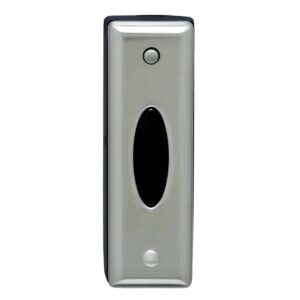
Setup, pairing, and troubleshooting for the RC4133 Carlon Wireless Doorbell Push Button in Brushed Nickel Finish.
INSTRUCTION GUIDE C) Making sure that the end with the hook-shaped latch is facing down, press cover firmly to mounting surface. Wireless Chime Buttons RC3301, RC3311, RC3341 3. For screw mounting: Congratulations on a wise purchase!
A) Place Chime Button where desired and mark screw locations.
What's Included
B) Place Chime Button back cover against mounting sur-
- Chime Button face and screw into marked locations using screws
- Two 3-Volt lithium batteries (installed) enclosed (may require drilling pilot holes on hard-
- Double-sided tape woods).
- Screws TEST TOOLS NEEDED: Press Chime Button. Receiver should play tone.
- Small Phillips head screwdriver
- Ballpoint pen CHANGING TONE/MELODY SELECTION
- Drill, if mounting with screws To change to a different tone or melody, press once on the small Note: Your new wireless chime button can only be used to raised Button located on top front Press to of the Button. Receiver will play next change add a button to an existing Carlon Wireless Chime system. It tone or can not be used with any other mechanical or wireless chime selection. To continue changing melody system. melody or selection, press down once again and wait for Receiver to MOUNTING BACK COVER OF CHIME BUTTON confirm change. Note: Mounting Chime Button on aluminum siding or metal door frame may reduce range. If button must be mounted Note: If you change melodies or tones too rapidly, the Re- on metal, try placing a 1/2’’ piece of wood between the but- ceiver will not play each selection. Only last melody or tone ton and the metal. selected will play. Selecting while Receiver is playing will If you want to cover the wire hole from your existing button, switch system to new setting, but Receiver will only finish play- save mounting of the new Chime Button until after removing ing tone or melody already in progress. the existing button. 1. Remove cover from back of Button by inserting ballpoint FRONT/BACK DOOR CHIME OPERATION pen into round hole at bottom of transmitter and gently With two Chime Buttons, scroll and set a different selection pushing in on tab. Lift Chime Button cover away from the for each door. By remembering which tone/melody is played, back plate. you can tell which button is pressed. Chime Buttons may also 2.
Mounting
be used as hand-held pagers. A) Make sure surfaces are free of dust, oil, and other sub- stances that could affect adhesion. B)