
Product manual
RC3732D User Manual
Setup, pairing, and troubleshooting for the RC3732D Wireless Door Chime Kit with Dual Buttons - Carlon.
- INSTRUCTION GUIDE
- Plug-In Door Chime
- One Chime Button – RC3730D, RC3250
- Two Chime Buttons – RC3732D, RC3252
Congratulations on a wise purchase!
What's Included
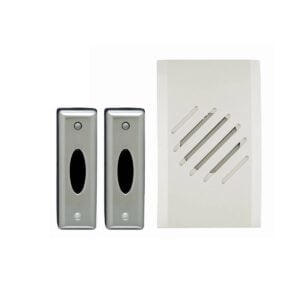
- Door Chime Receiver*
- Door Chime Button(s)
- Double-sided tape
- Two (four for RC3732D & RC3252) 3-Volt lithium batteries (installed)
- Screws *This product is for indoor use only. TOOLS NEEDED:
- Small Phillips head screwdriver
- Ballpoint pen MOUNTING BACK COVER OF DOOR CHIME BUTTON Note: Mounting Door Chime Button on aluminum siding or metal door frame may reduce range. If you want to cover the wire hole from your existing button, save mounting of the new Door Chime Button until after removing the existing button. 1. Remove cover from back of Button by inserting ballpoint pen into round hole at bottom of transmitter and gently pushing in on tab. Lift Chime Button cover away from the back plate. 2.
Mounting
- A) Make sure surfaces are free of dust, oil, and other
- substances that could affect adhesion.
- B) Attach double-sided tape to Chime Button back
- cover.
- C) Making sure that the end with the hook-shaped latch is
facing down, press cover firmly to mounting surface. 3. For screw mounting: A) Place Chime Button back cover where