
Product manual
RC3256 User Manual
Setup, pairing, and troubleshooting for the RC3256 Carlon Wireless Door Chime Kit - RC3253 Replacement.
INSTRUCTION GUIDE Plug-In Door Chime RC3733D, RC3253 Congratulations on a wise purchase!
What's Included
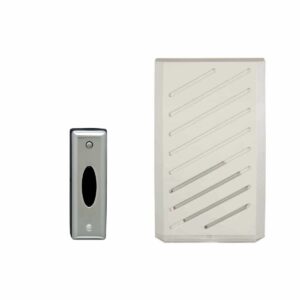
- Door Chime Receiver* *This product is for indoor use only. TEST 1. Plug Door Chime Receiver into any standard household 120-Volt AC wall outlet not controlled by a switch. 2. Press Door Chime Button. Receiver should play tone. VOLUME CONTROL Adjust loudness by moving volume control lever on back of Chime Receiver to desired position.
Troubleshooting
PROBLEM: Receiver does not sound when button is pressed.
- SUGGESTION: Verify that batteries are installed correctly in the button and battery
- contacts are in the correct position. Try replacing batteries first. Check that Receiver
- and Button are placed within operating range.
- PROBLEM: Receiver sometimes plays without anyone pressing Door Chime But-
- ton.
- SUGGESTION: If another Wireless Door Chime System nearby is on the same
- frequency, it could accidentally trigger your system. If this happens, change privacy
- code.
- GUIDE D’INSTALLATION
- Carillon câblée RC3733D, RC3253
Nous vous félicitons de votre choix judicieux ! VOUS TROUVEREZ DANS CET ENSEMBLE :
- Un récepteur de carillon* *Ce produit ne s’utilise qu’à l’intérieur. ESSAI 1.