
Program a LRA Transmitter to the LRA-DCRX Receiver
Need help on how to Program a Transmitter to an LRA-DCRX Receiver? The article below and the accompanying video walks you through this process. Please note, that the style or look of the LRA-D1000 has changed from the ones in this video and help article, but the functionality and process are the same.If you are…
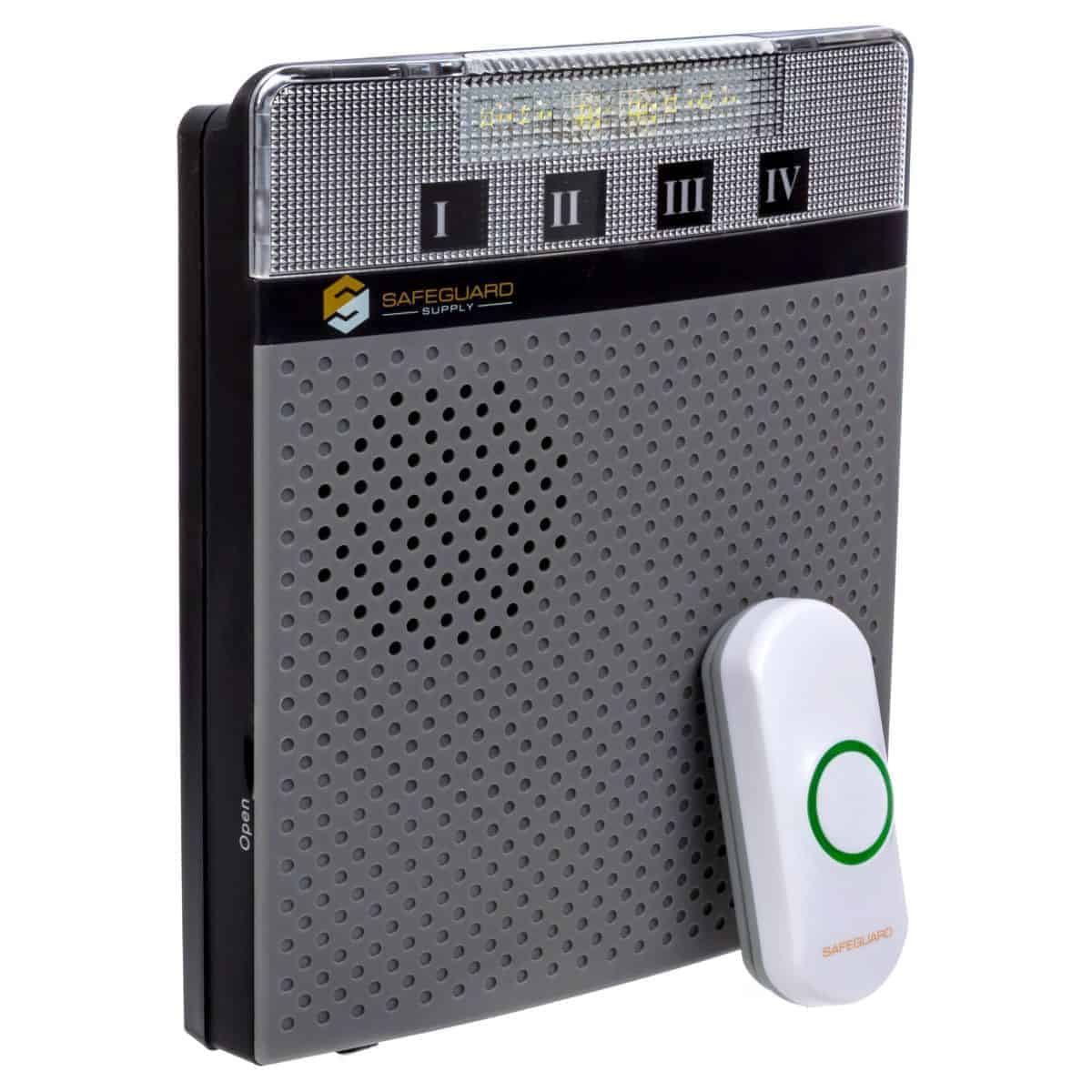
Need help on how to Program a Transmitter to an LRA-DCRX Receiver? The article below and the accompanying video walks you through this process. Please note, that the style or look of the LRA-D1000 has changed from the ones in this video and help article, but the functionality and process are the same.
If you are interested in learning more about this LRA-D1000 Wireless Door Chime Kit with Flashing Strobe, Please click here: LRA-D1000 Chime Kit.
LRA-DCRX Programming Notes to Consider
- The LRA-DCRX and the LRA-VPRX each have four zones. The LRA-DCRXS has two zones.
- Each of these zones can only have one (1) transmitter at a time stored in that zone’s memory.
- It does not matter what Zone you program or pair your transmitter(s) to. They are all the same. The purpose of the zones is to allow you to assign a distinct melody to each zone so that you may determine what sensor triggered the receiver.
- When trying to pair a transmitter, such as the LRA-DSTX, LRA-DCTX, & the LRA-PBTX, if there is already a transmitter paired to a zone, then you must delete that memory for the zone to program the new transmitter to the zone.
- Even though you may not have intentionally paired a transmitter to a zone if you are having trouble programming, it’s good practice to delete the zone and start over. For more information on deleting a zone from memory, click here.
- The instructions below illustrated how to pair a push-button (LRA-PBTX) to a receiver (LRA-DCRXA). The process for pairing other receivers is similar. For information on pairing the LRA plug-in strobe receiver, the LRA-DCRXS, please click here.
- Once you are in programming mode (step 3 below), the unit will automatically exit programming mode after 10 seconds.
Steps to Program the LRA Transmitter to the LRA-DCRX Receiver
- Ensure the receiver has fresh batteries or you are using a plug-in wall transformer to power the unit.
- Open the cover of the receiver
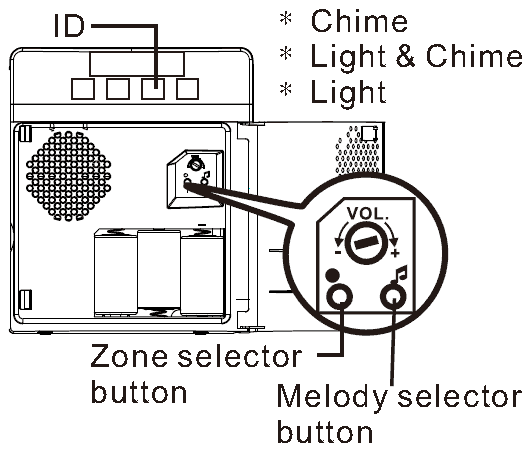
- Press & hold the “Zone selector button” for approximately three (3) seconds until the strobe light flashes, and zone “ID” one (1) starts to blink. Then, stop pressing the Zone selector button.
- IMPORTANT: If you want to program or pair a transmitter to Zone ID 1, move to the next step. If you already have a transmitter/sensor programmed to Zone ID 1 and want to pair an additional sensor/ transmitter, push the Zone selector button to scroll to the zone ID you would like to program. Once the Zone ID you want to program the sensor to is blinking, move to the next step.
- Press the “Melody selector” button to scroll through the melodies available on this receiver. When you hear the melody you would like to program to that zone, stop pressing the Melody selector button.
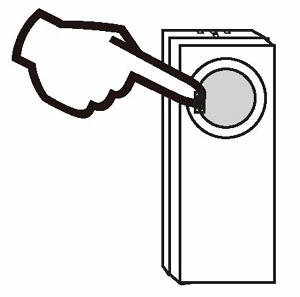
- Press the button on the push button transmitter. If you are pairing a different type of transmitter, you will need to “trigger” that transmitter at this point of the setup. In this example, we are using a LRA-PBTX push button, which is triggered by pushing the center push button. A door contact is triggered by separating the magnet from the transmitter. Point each, each transmitter/sensor is triggered differently. If you have additional transmitter/sensors to program, go back to step 4. Otherwise, go to the next step.
- Now your transmitter(s) are programmed to the receiver. To exit programming mode, press the Zone selector button to scroll through the Zones. Once you pass Zone ID 4, the unit will automatically exit programming mode.
Watch This Video On Programming
Please note. The push button and receiver shown in this video may be slightly different looking than your model. The programming methods are the same.
More in Wireless Doorbell FAQ
Browse the full FAQ category or continue with related answers from the same FAQ category.